Supporting the development of your staff is an essential part of your role. It ensures your team members have the competence and confidence to provide the best possible service. This learning resource explores how to maximise the effectiveness of the KSF Personal Development Planning and Review process for your staff team. It’s focused on the PDP & Review (TURAS Appraisal) process used by Agenda for Change staff.
How the Learning Resource works
The resource has 2 core elements and links to a wider learning pathway.
learnPro e-Learning Module (GGC:166 NHS Knowledge and Skills Framework) contains a range of information and resources to provide underpinning knowledge on the KSF Personal Development Planning and Review process and on good practice in developing your staff. It can be accessed on the learnPro platform and can be found under the CPD tab.
Virtual Sessions (1.5 hours) are also available for Reviewers and Managers with the focus on the application of learning around this, in particular to:
Give participants the opportunity to reflect on their role in developing their staff
Identify ways to make reviews more meaningful in practice
Identify key actions to progress KSF PDP&R in participants own area
Who is this Learning Resource aimed at?
Any Manager or KSF Reviewer in NHS Greater Glasgow and Clyde who has responsibility for managing or reviewing NHSGGC staff in their teams. This includes Managers and KSF Reviewers employed in integrated Health and Social Care Partnerships who are not directly employed by NHSGGC and require to support NHS staff with their KSF PDP&R.
Pre-Requisites
For Reviewers/ Managers who are attending the Virtual Sessions within this resource, there are some pre-requisites prior to attending. They should:
Complete the learnPro e-Learning Module (GGC 166 NHS Knowledge and Skills Framework) which provides underpinning knowledge and resources
To book a place on the course, please use the eESS Login (scot.nhs.uk) Learner Self-Service facility. From the Learner Home page, enter the course name in the box at the top of the page to see all available dates. You can also use keywords to search for courses. Remember to have your eESS user id and password available to access the system.
Course dates
Monday 7th September 2026, 11.00 am – 12.30 pm (MS Teams)
You will receive detailed joining instructions on how to access the on-line session. Please be ready to log-in at least 5 minutes before the start time.
Please note booking for each session will close 1 week before the course date to allow time for joining instructions to be sent to delegates.
Guidance on how to search for Learning and Development on eESS can be found here:
Full access to all Standard Operating Procedures and e-learning videos is available via Login (scot.nhs.uk).
If you have any queries around the KSF PDP&R process, please contact the Learning and Education Support team on 0141 278 2700 option 3.
Was this helpful?
Yes
No
Thanks for your feedback!
What is AHP Staff Bank and when will it commence?
A partnership project group was established to explore the implementation of an NHS Greater Glasgow and Clyde Allied Health Professional (AHP) Bank to support the management of both planned and unplanned staffing shortfalls across AHP services.
Building on the Board’s existing Staff Bank arrangements, the introduction of an AHP Bank provides services with greater flexibility to plan for periods of increased demand, workforce pressures, annual leave, and other absences, while maintaining safe and effective service delivery.
The AHP Bank is being introduced on a phased basis. Radiography is the first professional group to be included and is currently the only AHP profession supported through the AHP Bank. It is anticipated that the following professional groups will be incorporated in future phases of the AHP Bank rollout:
Physiotherapy
Occupational Therapy
Speech and Language Therapy
Dietetics
Podiatry
Orthoptics
Prosthetics and Orthotics
Other AHP disciplines as identified
Who can apply for the AHP Staff Bank?
Initially, the AHP Bank will be open to existing AHP staff and external candidates who are not currently employed by NHS Greater Glasgow and Clyde. It is proposed that access to the AHP Bank will be expanded in a phased manner to support workforce flexibility and service resilience across the organisation.
Due to the scale and complexity of implementation, an incremental approach has been agreed by the AHP Bank Project Group, as outlined below:
Existing AHP staff will be able to join the AHP Bank within their current professional discipline and service area. For example, a Physiotherapist working within a specific service or locality would be able to undertake Bank shifts within that same area, subject to service requirements and competency requirements.
Existing AHP staff will be able to undertake AHP Bank shifts across a wider range of services and locations, where they possess the required skills, training, and competencies.
In addition, all NHS Greater Glasgow and Clyde employees who hold the appropriate professional qualifications, registrations, and competencies will be able to apply to join the AHP Bank, further increasing staffing flexibility and supporting the delivery of high-quality patient care across AHP services.
How do I apply for the AHP Staff Bank?
AHP staff who hold a substantive post within NHS Greater Glasgow and Clyde are eligible to join the AHP Bank through the internal application process.
This is on the basis that, as Bank workers, individuals are fully supported by their substantive line manager and are able to maintain high standards of patient care within their Bank role. Prior to completing and signing the reference, managers acting as sponsors should consider the individual’s suitability to undertake AHP Bank work, including their professional registration, mandatory training compliance, clinical competencies, and ability to work safely within the requested role and service area.
Internal applicants can access the AHP Bank vacancy and application information via the internal recruitment system.
Do you receive annual leave for working on the AHP Bank?
Yes, you accrue annual leave hours whilst working on the Bank. Annual leave can be requested by email to the Staff Bank.
Bank annual leave is accrued at a rate of 12.07% or 1 hour of leave accrued for every 8.29 hours worked. A maximum of 210 hours of leave can be accrued by a bank employee in any one financial year
What do you get paid for a Bank shift?
All bank hours are paid on a weekly basis.
As AHP Bank posts are aligned to the Agenda for Change band of the role being undertaken, you will be paid the appropriate hourly rate for the Bank post, based on your pay point within that band.
Any Band 3 hours worked that attract Saturday, night, or unsocial hours enhancements will be paid at an additional 37% above your basic hourly rate. These enhancements will be shown separately on your payslip.
Any Band 3 hours worked that attract Sunday or Public Holiday enhancements will be paid at an additional 74% above your basic hourly rate. These enhancements will also be shown separately on your payslip.
Band 3 entry rate: £15.48 p/h
Band 3 top rate: £16.71 p/h
Any Band 5 & 6 hours worked that attract Saturday, night, or unsocial hours enhancements will be paid at an additional 30% above your basic hourly rate. These enhancements will be shown separately on your payslip.
Any Band 5 & 6 hours worked that attract Sunday or Public Holiday enhancements will be paid at an additional 60% above your basic hourly rate. These enhancements will also be shown separately on your payslip.
Band 5 entry rate: £18.38 p/h
Band 5 mid rate: £19.63 p/h
Band 5 top rate: £22.89 p/h
Band 6 entry rate: £23 p/h
Band 6 mid rate: £24.01 p/h
Band 6 top rate: £28.89 p/h
Unsocial Hours Enhancements
All time worked on Saturdays (midnight to midnight):
All time worked on weekdays between 8.00pm and 6.00am
All time worked on Sundays (midnight to midnight)
All time worked on Public Holidays (midnight to midnight)
If I join the AHP Staff Bank, does my payroll number change?
A post with the Staff Bank is considered a second job, and therefore, you will retain your existing payroll number for your substantive role, and you will be assigned a new payroll number for your AHP bank role.
Furthermore, you will also receive the terms and conditions of employment for your AHP bank role.
Are there any tax implications if I join the AHP Staff Bank?
A post with the Staff Bank is considered a second job and can increase your overall tax liability, but understanding how to manage your personal allowance and tax codes can help you minimise any impacts. Further information is available via: Tell HMRC if you have a new job or more than one job – GOV.UK
How do I book an AHP bank shift?
Shifts can be booked via the Loop app or via the Staffbank Contact Centre on 0141 278 2555. The call handler will check to see what shifts are available on your provided dates and offer them to you. The more flexible you are the more work we will be able to offer you.
Can I change a booked shift for another shift elsewhere?
No, once you have committed to a shift the Staff Bank’s expectation is that you complete the booked shift.
Can I refuse to move wards/site from the ward/site I was originally booked for?
No, once a bank worker has accepted and agreed to undertake a shift, there is an obligation to work with the local management team in delivering patient care. This may involve being redeployed to other areas.
What happens if I need to cancel my shift?
To maintain high standards of patient care and staff safety, all Bank workers are required to follow the cancellation process when unable to attend a booked shift. During opening hours (8.00am – 8.00om, 7 days a week), please contact the Bank Office directly at 0141 278 2555. If you need to cancel outside of these hours, notify the clinical area at the earliest opportunity and follow up with the Bank Office when it reopens.
I am a member of Scottish Public Pension Agency (SPPA). What are the pension implications?
If your substantive post is full time 37 hours (36 from 01.04.26) the maximum contributions an employee can pay is on 37 hours, therefore any Bank post is exempt from SPPA contributions. Or, if your substantive post is less than full time, the hours worked up to the equivalent of 1929 per annum (1877 from 01.04.2026) would attract SPPA contributions. The auto enrolment for SPPA is activated with all contracts within NHS Scotland. Therefore, if you wish to opt out you must complete the opt out form, even if you have already completed one for your substantive role.
Was this helpful?
Yes
No
Thanks for your feedback!
Below you’ll find links to various NHS Scotland/NHSGGC brand resources. They must be used responsibly and in line with the NHS Scotland Brand Guidelines. If you have any question or you’re unsure, email the Corporate Communications Senior Graphic Designer.
Text messages play an important role in keeping patients informed about appointments, waiting lists and services.
More than 47 million patient text messages were sent across NHS Greater Glasgow and Clyde during 2025/26. With SMS now used so widely, it is important that every message is clear, concise and easy to understand.
Our ‘K.I.S.S. – Keep It Short and Sweet‘ campaign encourages everyone who writes or sends patient text messages to ask:
Can this be shorter?
Can this be clearer?
Shorter text messages are often clearer and easier for patients to understand, helping them quickly find the key information and any actions required. Keeping messages to 320 GSM-7 characters or fewer could also save around £250,000 each year.
Why clarity matters
Long or complicated text messages can make it harder for patients to understand:
Why they are being contacted
Which service is contacting them
What they need to do
When they need to act
Where they can find further information
If the original message is unclear, patients may need to contact the service for an explanation. A short, well-structured message can help avoid confusion and unnecessary follow-up.
Short does not mean leaving out essential information. It means prioritising what the patient needs to know and presenting it clearly.
Is a text message the right option?
Before sending an SMS, consider whether another channel would work better. For example:
Could detailed information be provided through a webpage or email?
Could a recorded telephone message provide a general service update?
Has the same information already been sent through another channel?
Does the message need to be sent to every recipient?
Could an approved template be used?
The aim is not to stop using text messages. SMS remains a valuable communication tool. The aim is to use it consistently and appropriately while making every message count.
Examples for use
If a text message is the right option, here some examples you can use that meet the Keep it Short and Sweet criteria:
Bank Holiday closure
Please note that [Practice Name] will be closed on Monday [date] due to the bank holiday. If you need urgent medical advice when we are closed, contact NHS 24 on 111. In an emergency, call 999.
Closure for Staff Training
Due to staff training, the practice will be closed on [date] between [times]. For urgent medical advice during this period, call NHS 24 on 111. Thank you for your understanding.
Closure Due to Another Reason
[Practice Name] is temporarily closed today. If your issue is urgent, please contact NHS 24 on 111. We will share further information as soon as possible.
Technical Issue Affecting Contact
We are currently experiencing problems with our telephone system and may be unable to answer calls. Please use online services where available or try again later. We apologise for the inconvenience.
We are experiencing technical issues which may affect appointments and enquiries today. Please bear with us while we work to resolve this issue. Thank you for your patience.
Change or Removal of Service
From [date], [service name] will no longer be available at [Practice Name]. Further information and alternative arrangements can be found at [website] or by contacting the practice.
From [date], there will be changes to how [service name] is delivered. Please visit [website] or contact the practice for more information.
Flu Vaccination
Flu vaccinations are now available at [Practice Name]. If you are eligible and have not yet booked, please contact the practice or use our online booking service.
Seasonal Pressure Message
We are currently experiencing high demand and response times may be longer than usual. Please be kind to our staff as they work to support patients as quickly as possible.
Using Copilot to improve a message
Approved AI tools such as Microsoft 365 Copilot can help you shorten and simplify draft messages.
Try this prompt:
Rewrite this patient text message in clear, plain English. Keep the essential information and required action. Use a supportive NHS tone and limit the message to 320 320 GSM-7 characters:
[Insert draft message]
You can also ask:
Check whether this text clearly explains who is contacting the patient, why they are being contacted and what they need to do next.
Always:
Check the rewritten message carefully before using it
Confirm that dates, times, locations, telephone numbers and instructions are accurate
Follow NHSGGC information governance and AI guidance
Use only approved AI tools with NHSGGC information
NHSGGC guidance says only approved AI tools should be used on NHSGGC devices and with organisational information, including administrative, staff and patient data.
Five ways to keep messages Short and Sweet
Lead with the important information
Patients should not have to read several sentences before discovering why they have been contacted.
Instead of:
We are writing to advise you that an appointment has now been arranged for you to attend the clinic on Tuesday 15 September at 10am.
Try:
Your clinic appointment is at 10am on Tuesday 15 September.
Make the required action clear
If the patient needs to reply, call, attend or complete a form, say so directly.
Instead of:
If this appointment is no longer suitable, we would appreciate it if you could make contact with the department using the telephone number below.
Try:
If you cannot attend, please call [number].
Remove repetition
Check whether the message repeats information already included in an appointment letter, email or link.
Use plain English
Avoid jargon, unfamiliar abbreviations and overly formal wording. Write for the patient, not the service.
Check the length
Aim to keep messages to 320 GSM-7 characters or fewer. Include only the information the patient needs immediately.
K.I.S.S. – Keep It Short and Sweet. Every character counts.
Was this helpful?
Yes
No
Thanks for your feedback!
This page provides information about drug stigma including how you can help tackle it, resources, further reading and learning.
The information on this website may affect some readers. Please take care when reading. If you feel affected by what you have read, support is available.
If you, or someone you know are in distress and need an immediate response call the emergency services on 999 or NHS24 on 111.
What is Drug Stigma?
People who use drugs, people in recovery from drug use, families and communities can experience stigma.
Stigma is the social process of devaluing a person beginning with marking or labelling someone’s differences then attributing negative values to those differences. Stigma is closely linked to prejudice, stereotyping and discrimination. Stigma intersects with other ways people are disempowered and marginalised (ethnicity, gender and sexual identity among others) often increasing risk and harm.
Tackling stigma and understanding how it connects to other ways people are disadvantaged, is vital to addressing drug related harm, including deaths.
Tackling drug stigma at all levels is essential to fostering an inclusive and supportive environment for people who use drugs and helps people feel a greater connection to society, more included and more likely to access treatment and support for recovery.
How can you get involved?
Recognising stigma is the first step to tackling it. When you witness stigmatising behaviour, you have a choice about the action you take. Taking action shows that stigmatising behaviour is not acceptable. We don’t all need to be experts, but we all have a role in tackling drug stigma. Understanding stigma and approaching interactions with kindness and compassion is the key.
Greater Glasgow and Clyde (GGC) Drug Stigma Action Group
The GGC Drug Stigma Action Group is a multi-agency partnership, established in 2023, bringing together statutory and third sector organisations to deliver a coordinated approach to tackling drug related stigma across Greater Glasgow and Clyde. Group membership includes:
East Dunbartonshire Alcohol and Drug Recovery Services
East Dunbartonshire Alcohol and Drug Partnership
Family Addiction Support Service
Glasgow Alcohol and Drug Partnership
Glasgow City Alcohol and Drug Recovery Services
Glasgow City Health Improvement Team
Inverclyde Alcohol and Drug Partnership
NHSGGC Alcohol and Drug Health Improvement Team
NHSGGC Prison Health Improvement Team
Police Scotland
Renfrewshire Alcohol and Drug Partnership
Scottish Drugs Forum
Scottish Families Affected by Alcohol and Drugs
Scottish Prison Service
Scottish Recovery Consortium
Simon Community Scotland
West Dunbartonshire Alcohol and Drug Partnership
With You
The group works alongside local Alcohol and Drug Partnerships (ADPs) and has links to the National Stigma Action Plan. Its work is guided by people with lived and living experience, strengthening collective action to reduce drug stigma, promote social inclusion and social justice for people who are affected by drugs.
If you are interested in joining the GGC Drug Stigma Action Group please contact ggc.mhead@nhs.scot*.
*Please note that this is a generic admin inbox and not monitored immediately. If you, or someone you know are in distress and need an immediate response call the emergency services on 999 or NHS24 on 111.
‘Tackling Drug Stigma is Everyone’s Business’ Toolkit
The Drug Stigma Toolkit has been designed by the GGC Drug Stigma Action Group as a cascading and capacity building resource that aims to support partners, groups and organisations to tackle drug stigma.
Everyone who uses the toolkit is encouraged to reflect on their own attitudes and language and use this resource to start meaningful conversations within teams, services, across communities and to tackle drug stigma wherever it is encountered. By taking action together, we can help create a more compassionate and supportive response to drug harm.
The evaluation questions will help identify who is using the “Tackling Drug Stigma is Everyone’s Business” toolkit and in what settings it is being used. This will help us assess its reach, highlight any gaps, and identify which groups or settings may benefit from additional support or engagement. By collecting this feedback, we can continue to learn, improve the resources, and ensure the toolkit remains relevant, accessible, and effective in tackling drug stigma.
Thank you for taking the time to share your views.
Evaluation responses are reviewed periodically at set points throughout the year. If you have any additional feedback on the toolkit or wish to discuss anything further, please contact ggc.mhead@nhs.scot*.
*Please note that this is a generic admin inbox and not monitored immediately. If you, or someone you know are in distress and need an immediate response call the emergency services on 999 or NHS24 on 111.
Support staff across all sectors to frame conversations about drugs and stigma
Support staff to reflect on their own practice, knowledge and attitudes
Provide practical tools to manage difficult conversations and challenge stigma
Provide education and raise public awareness of the impact of drug stigma
Workshop
The workshop is not training but is designed to raise awareness of drug stigma, the impact it can have, and what action can be taken to tackle this.
The workshop can be delivered by anyone who has an interest in tackling drug stigma. No prior experience or qualifications are required to deliver the workshop, although facilitators are encouraged to review the “Tackling Drug Stigma Is Everyone’s Business” Framing Document before delivery.
The workshop is best delivered in person but can be delivered online, if required. For those who are looking to deliver the workshop online, using a virtual learning space such as Microsoft Teams or Zoom, please ensure you follow your own organisational guidance for online delivery.
The films below have been created by people with lived and living experience across Greater Glasgow and Clyde, sharing personal perspectives on drug stigma and its impact on individuals affected by drugs.
All language and views expressed within the videos are participants own views.
‘Stigma Kills’ – This film shares how drug stigma affects both men and women, explores its impact, and highlights actions that can tackle it.
‘Stigma is a Barrier to Good Health and Quality of Life’ – This film shares how drug stigma affects women, explores its impact on women and highlights actions that can tackle it.
‘Everyone Knows Someone’ – This film shares how drug stigma affects families when a loved one uses drugs, the impact on their lives, and highlights actions that can tackle it.
‘It’s Everyone’s Business to Tackle Stigma’ – This film highlights why tackling drug stigma is essential to support people affected by drugs to access services, including actions that can tackle drug stigma in practice.
‘Words Matter’ – This film shares how drug stigma can affect people living in prison, explores its impact and highlights actions that can tac
Conversation Cards
The Conversation Cards have been designed as a tool encourage conversations about drug stigma, challenge assumptions and reflect in a safe and respectful way.
Each Conversation Card links to the Framing Document, where you can explore more information to help inform your discussions – Drug Stigma Conversation Cards.
Communication Pack
Thank you for supporting the ‘Tackling Drug Stigma Is Everyone’s Business’ Toolkit. Please use our communications pack, social media assets and suggested posts to spread the word across your channels.
Charter of Rights for People Affected by Substance Use in Scotland | WithYou: In December 2024 The National Collaborative published a Charter of Rights for People Affected by Substance Use contributing to Scotland’s National Mission to reduce deaths and improve the lives of those impacted by substances.
National Mission on Drug Deaths: The aim of the National Mission is to reduce drug deaths and improve the lives of those impacted by drugs. This document shows how this will be done.
National Stigma Action Plan: Cross government response to the Drug Deaths Taskforce report, Changing Lives. It contains a cross government action plan, response to Taskforce recommendations and a stigma action plan.
National Trauma Transformation Programme – This website provides access to evidence-based training, tools and guidance to support trauma-informed and responsive systems, organisations and workforces in Scotland
Nominations for the Excellence Awards 2026 are now open
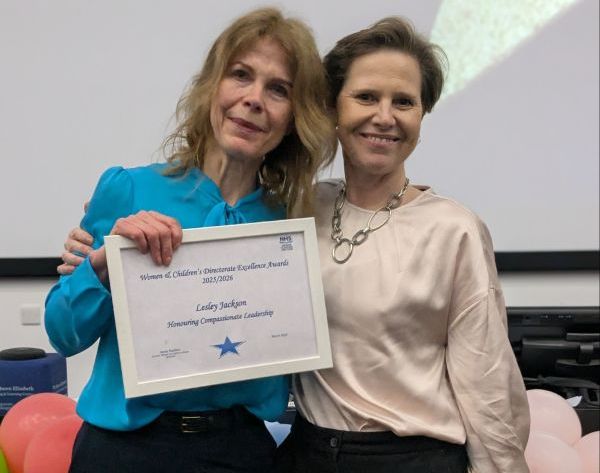
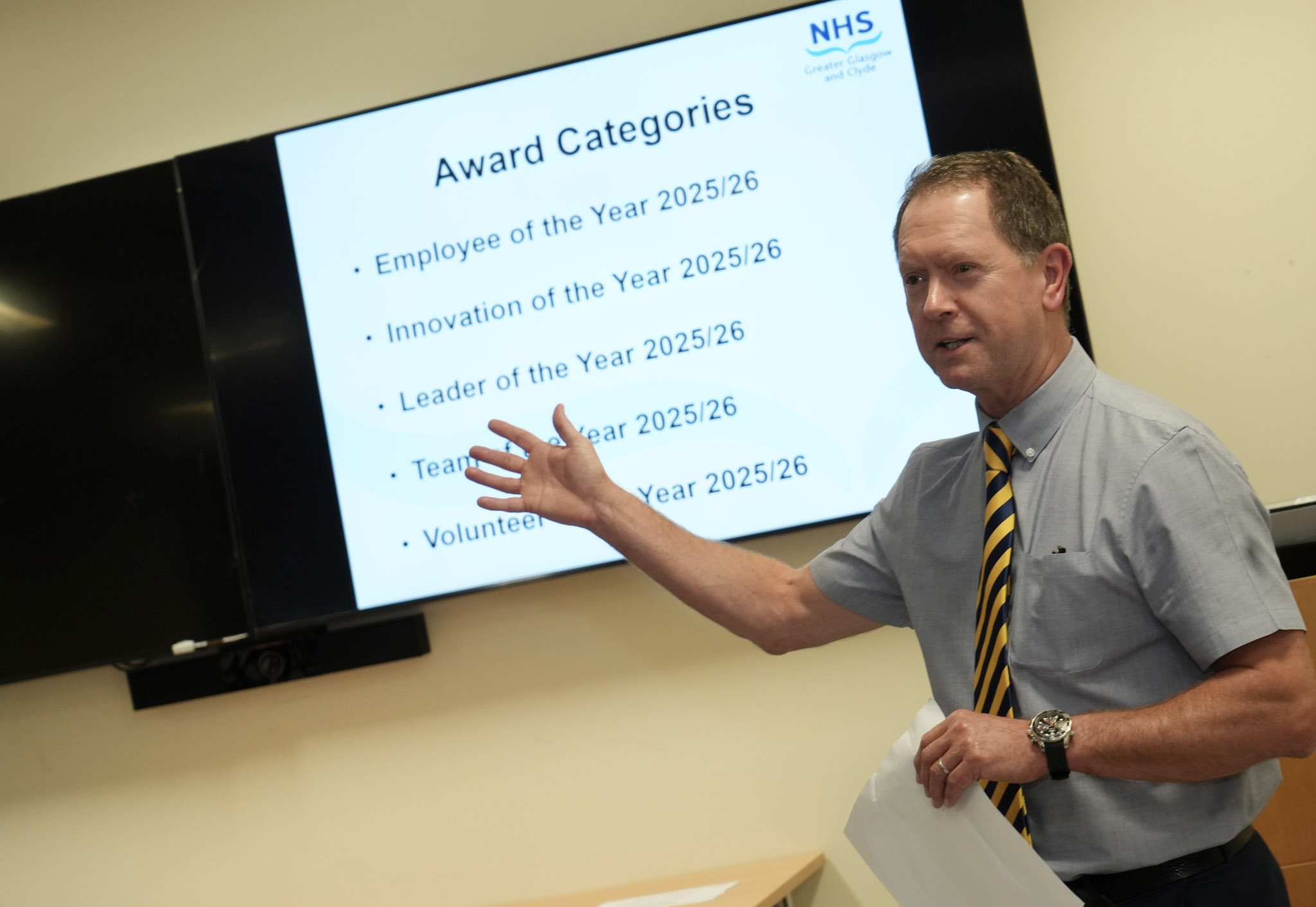
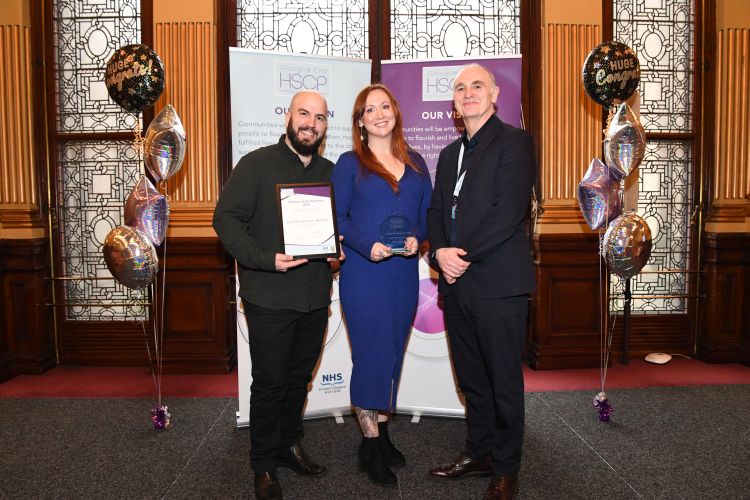
The Awards are designed to showcase the exceptional work taking place across NHSGGC every day, and recognise excellence in patient care, innovation, leadership, sustainability, staff wellbeing, volunteering and tackling health inequalities.
This is your chanceto celebrate the individuals, teams and initiatives making a difference across NHSGGC.
If a member of staff has made a real difference to your care or you have a colleague you think should be recognised, select the appropriate button below to place your votes.
Closing date for nominations isnoon on Friday 24 July 2026.
The People’s Choice Award recognises an individual, group, or team whose dedication, compassion, and commitment make a meaningful difference to the lives of people across Greater Glasgow and Clyde. This award celebrates those whose contributions often happen behind the scenes and may go largely unrecognised, yet have a profound impact on patients, families, colleagues, and communities.
Nominees embody the values of the NHS through exceptional care, kindness, and a willingness to go above and beyond their everyday responsibilities. Whether through small acts of support or sustained efforts that improve the experiences and outcomes of others, they demonstrate an unwavering commitment to helping people when they need it most.
This award shines a light on those unsung heroes whose work makes a real and lasting difference, inspiring others through their dedication and selfless service.
Nominations closed on Friday 24 July 2026.
Was this helpful?
Yes
No
Thanks for your feedback!
This page is dedicated to recognising the incredible work happening across NHSGGC. From innovative ideas and outstanding patient care to award wins and everyday acts of kindness, this is where we’ll shine a light on the people and teams making a real difference.
This page brings together newsletter editions for this sector, with updates, staff stories and practical information from across local services. Browse the latest issue or download previous editions below.
We use cookies to analyse traffic to our site and to enable certain functions such as forms and embedded videos. These do not collect personal information. By clicking "Accept All", you consent to our use of cookies, or you can customise the options.
This website uses cookies
Websites store cookies to enhance functionality and personalise your experience. You can manage your preferences, but blocking some cookies may impact site performance and services.
Essential cookies enable basic functions and are necessary for the proper function of the website.
Name
Description
Duration
Cookie Preferences
This cookie is used to store the user's cookie consent preferences.
30 days
CloudFlare provides web performance and security solutions, enhancing site speed and protecting against threats.
Sequence rules uses cookies to track the order of requests a user has made and the time between requests and makes them available via Cloudflare Rules. This allows you to write rules that match valid or invalid sequences. The specific cookies used to validate sequences are called sequence cookies.
session
cf_ob_info
The cf_ob_info cookie provides information on: The HTTP Status Code returned by the origin web server. The Ray ID of the original failed request. The data center serving the traffic
session
cf_chl_rc_m
These cookies are for internal use which allows Cloudflare to identify production issues on clients.
session
__cfruid
Used by the content network, Cloudflare, to identify trusted web traffic.
session
__cf_bm
Cloudflare's bot products identify and mitigate automated traffic to protect your site from bad bots. Cloudflare places the __cf_bm cookie on End User devices that access Customer sites that are protected by Bot Management or Bot Fight Mode. The __cf_bm cookie is necessary for the proper functioning of these bot solutions.
session
__cflb
When enabling session affinity with Cloudflare Load Balancer, Cloudflare sets a __cflb cookie with a unique value on the first response to the requesting client. Cloudflare routes future requests to the same origin, optimizing network resource usage. In the event of a failover, Cloudflare sets a new __cflb cookie to direct future requests to the failover pool.
session
_cfuvid
The _cfuvid cookie is only set when a site uses this option in a Rate Limiting Rule, and is only used to allow the Cloudflare WAF to distinguish individual users who share the same IP address.
session
cf_clearance
Whether a CAPTCHA or Javascript challenge has been solved.
session
cf_use_ob
The cf_use_ob cookie informs Cloudflare to fetch the requested resource from the Always Online cache on the designated port. Applicable values are: 0, 80, and 443. The cf_ob_info and cf_use_ob cookies are persistent cookies that expire after 30 seconds.
session
__cfwaitingroom
The __cfwaitingroom cookie is only used to track visitors that access a waiting room enabled host and path combination for a zone. Visitors using a browser that does not accept cookies cannot visit the host and path combination while the waiting room is active.
session
cf_chl_rc_i
These cookies are for internal use which allows Cloudflare to identify production issues on clients.
session
cf_chl_rc_ni
These cookies are for internal use which allows Cloudflare to identify production issues on clients.
session
Statistics cookies collect information anonymously. This information helps us understand how visitors use our website.
We use Microsoft Clarity to understand how users interact with our website, including information such as clicks, scrolling and navigation behaviour, to help improve our services.
Microsoft Clarity uses cookies and similar technologies. These are only set if you accept analytics cookies.
If you choose not to accept analytics cookies, Clarity will operate in a limited mode using non-cookie-based data, which does not track users across pages or visits.
The data collected is behavioural and technical in nature and does not directly identify individuals. Sensitive information such as names, email addresses and form inputs is automatically hidden and not recorded or viewed.
Some information, such as device and approximate location data will still be collected and is treated as personal data in accordance with data protection legislation.
This will not be used for any purpose other than analytics and will not be used to identify you.
We use Microsoft Clarity to understand how users interact with our website, including information such as clicks, scrolling and navigation behaviour, to help improve our services.
Microsoft Clarity uses cookies and similar technologies. These are only set if you accept analytics cookies.
If you choose not to accept analytics cookies, Clarity will operate in a limited mode using non-cookie-based data, which does not track users across pages or visits.
The data collected is behavioural and technical in nature and does not directly identify individuals. Sensitive information such as names, email addresses and form inputs is automatically hidden and not recorded or viewed.
Some information, such as device and approximate location data will still be collected and is treated as personal data in accordance with data protection legislation.
This will not be used for any purpose other than analytics and will not be used to identify you.